Bài viết này mình chia sẻ đến bạn cách chèn nút copy mã giảm giá không tự động mở link affiliate cho website WordPress. Ngược lại, nếu bạn thích nút copy tự động mở link thì xem bài Nút copy mã giảm giá tự động mở link nhé, nút đó mình cũng tinh chỉnh xịn xò hơn code mà ae xài trước giờ.
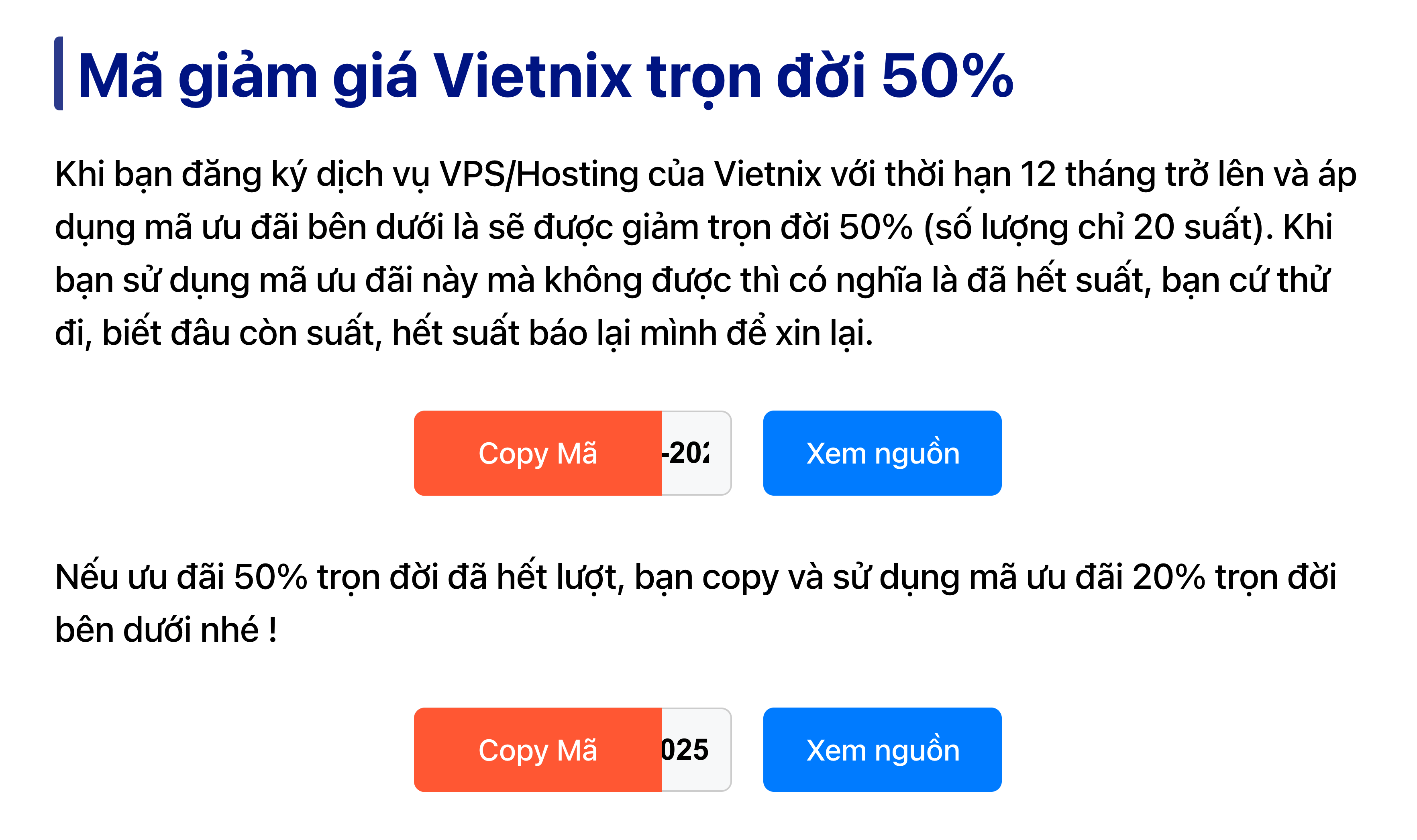
Bước 01: Nút copy mã giảm giá này mình đã gom hết vào trong một đoạn code, bạn chỉ cần đem dán vào bên dưới cùng trong file functions.php của theme/ child theme đang dùng.
// NUT COPY MA GIAM GIA KHONG TU DONG MO LINK
function coupon_shortcode_enqueue_assets() {
static $enqueued = false;
if ($enqueued) return;
$enqueued = true;
$css = '
.coupon-box { margin: 24px auto; padding: 0 15px; max-width: 400px; width: 100%; display: flex; justify-content: center; align-items: center; gap: 18px; flex-wrap: wrap; font-size: 16.8px; box-sizing: border-box; }
.coupon-code-wrap { display: flex; align-items: center; justify-content: flex-end; }
.coupon-input-container { position: relative; width: 180px; height: 48px; }
.coupon-box input { padding: 12px; border: 1px solid #ccc; border-radius: 6px; width: 100%; height: 100%; font-size: inherit; text-align: right; box-sizing: border-box; margin: 0; }
.coupon-box .copy-btn { position: absolute; left: 0; top: 50%; transform: translateY(-50%); width: 78%; height: 100%; padding: 0; background-color: #ff5733; color: white; border: none; border-radius: 6px 0 0 6px; cursor: pointer; font-size: inherit; display: flex; align-items: center; justify-content: center; transition: background-color 0.2s ease; }
.coupon-box .copy-btn:hover { background-color: #e64c2d; }
.coupon-box .open-link { padding: 0; background-color: #007bff; color: white; border: none; border-radius: 6px; cursor: pointer; font-size: inherit; min-height: 48px; min-width: 135px; display: flex; align-items: center; justify-content: center; white-space: nowrap; transition: background-color 0.2s ease; text-decoration: none; }
.coupon-box .open-link:hover { background-color: #0056b3; color: white; }
.coupon-box p { margin: 12px 0 0; font-size: inherit; width: 100%; text-align: center; }
';
wp_register_style('coupon-shortcode-style', false);
wp_enqueue_style('coupon-shortcode-style');
wp_add_inline_style('coupon-shortcode-style', $css);
$js = '
(function(){
if(window.CouponShortcode)return;
window.CouponShortcode={
copy:function(id){
var input=document.getElementById(id+"_c");
var msg=document.getElementById(id+"_s");
if(!input||!msg)return;
if(navigator.clipboard&&navigator.clipboard.writeText){
navigator.clipboard.writeText(input.value).then(function(){
msg.style.display="block";
setTimeout(function(){msg.style.display="none"},3000);
}).catch(function(){CouponShortcode.fallback(input,msg)});
}else{CouponShortcode.fallback(input,msg)}
},
fallback:function(input,msg){
input.select();
input.setSelectionRange(0,99999);
try{
document.execCommand("copy");
msg.style.display="block";
setTimeout(function(){msg.style.display="none"},3000);
}catch(e){}
}
}
})();
';
wp_register_script('coupon-shortcode-script', false, array(), '1.0', true);
wp_enqueue_script('coupon-shortcode-script');
wp_add_inline_script('coupon-shortcode-script', $js);
}
function coupon_shortcode($atts) {
$atts = shortcode_atts(array('code' => 'MAGIAMGIA20','url' => 'https://your-affiliate-link.com'), $atts);
if (!empty($atts['url']) && !filter_var($atts['url'], FILTER_VALIDATE_URL)) {
return '';
}
coupon_shortcode_enqueue_assets();
$uid = uniqid('cp_');
$output = '<div class="coupon-box"><div class="coupon-code-wrap"><div class="coupon-input-container"><input type="text" id="'.esc_attr($uid).'_c" class="coupon-code" value="'.esc_attr($atts['code']).'" readonly><button type="button" class="copy-btn" onclick="CouponShortcode.copy(\''.esc_attr($uid).'\')">Copy Mã</button></div></div><a href="'.esc_url($atts['url']).'" class="open-link" target="_blank" rel="nofollow sponsored noopener">Xem nguồn</a><p id="'.esc_attr($uid).'_s" style="display:none;color:green;">Đã copy mã giảm giá!</p></div>';
return $output;
}
add_shortcode('coupon', 'coupon_shortcode');
// NUT COPY MA GIAM GIA KHONG TU DONG MO LINK
Bước 02: Bạn copy đoạn short code mẫu và chèn vào bài viết (xóa số 123 đi nhé ^^), sửa link aff và mã giảm giá theo ý bạn nữa là được.
[123coupon code="HOCBAN" url="https://my.azdigi.com/aff.php?aff=673&url=https://azdigi.com/ssd-hosting/"]Đấy, nội dung bài viết này cơ bản là vậy. Thủ thuật này mình thấy cũng hữu ích cho bản thân cũng như anh em làm tiếp thị liên kết với mã giảm giá. Mình sẽ thêm dần những phiên bản tùy chỉnh để anh em tham khảo thêm và lựa chọn.

Một vài góp ý cho code này, mức độ nghiêm trọng giảm dần:
1. Lỗi lặp code: bác nhúng cả khối và vào bên trong hàm coupon_shortcode.
Hậu quả: nếu một bài viết bác dùng 3 cái shortcode coupon, trang web sẽ in ra 3 lần đoạn CSS và 3 lần đoạn JS y hệt nhau. Điều này làm code HTML bị “bẩn” và nặng trang không cần thiết.
2.Vấn đề SEO: nút “Xem nguồn” bác đang dùng thẻ với sự kiện onclick.
Hậu quả: Google Bot không coi đây là một liên kết. Nó sẽ không truyền giá trị SEO (link juice) và quan trọng hơn là các trình duyệt hoặc extension chặn quảng cáo có thể chặn hành động window.open.
Cách sửa: phải dùng thẻ (link chuẩn) với thuộc tính rel=”nofollow sponsored”.
3. Công nghệ JavaScript cũ: document.execCommand(“copy”) hiện đã lỗi thời (deprecated). Một số trình duyệt hiện đại có thể hạn chế nó. Nên chuyển sang dùng navigator.clipboard.
Ây cha, ngon luôn. Mình đã khắc phục rồi, cảm ơn bạn Hiếu đã nhiệt tình xem code và đưa ra góp ý giúp code của mình hoàn thiện hơn nè !
Lần đầu em thấy đặt link aff mà không tự động mở link, liệu có dính đơn không bác ^^
Cái không tự động mở link aff như này mình cũng mới nghĩ ra gần đây thôi bạn, vụ dính đơn hay không thì cũng hên xui á, ae nhấp vào mở link xem thêm thì có dính cookies thôi chứ dính đơn còn một đoạn xa ^^